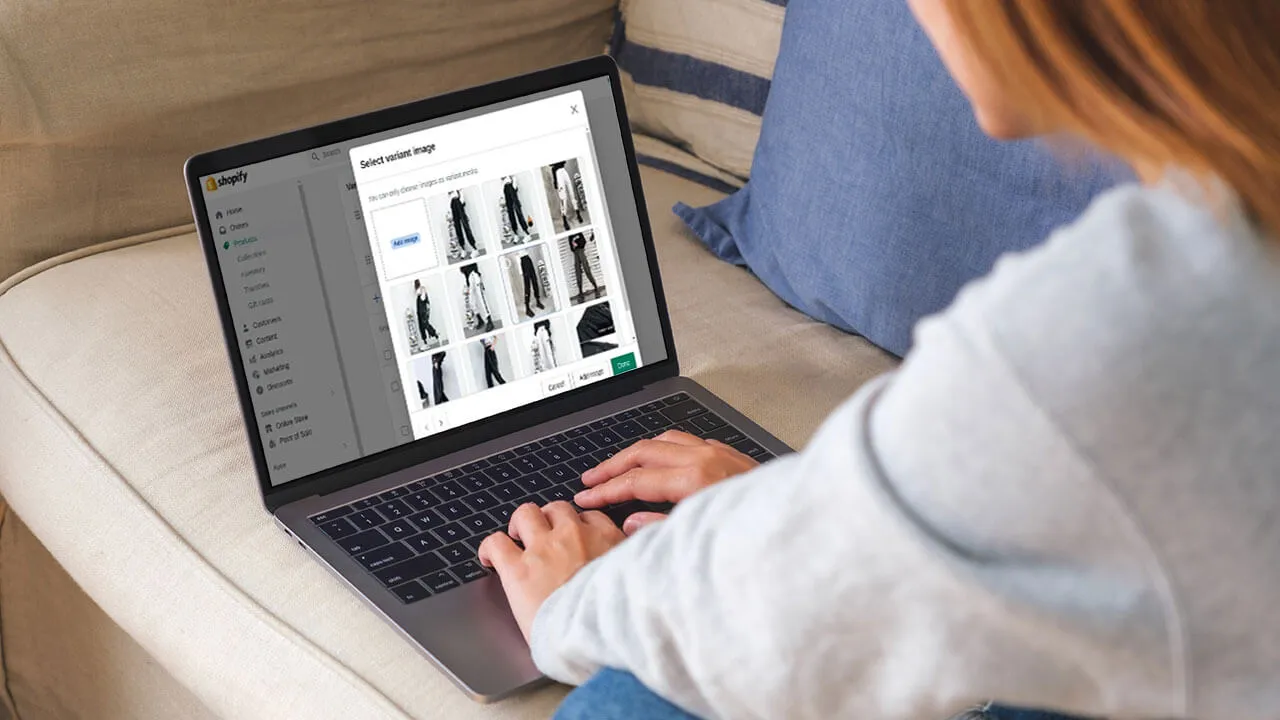
When a Shopify product has several variants, customers may need to compare their options before deciding what to buy.
A variant name can identify an option, but it does not always give customers a clear idea of how that option looks. When appearance plays a role in the purchase, product images become an important part of the decision.
For example, someone choosing between different watch strap options may want to see each version before deciding. Being able to view the actual option can make the choice much more straightforward.
Why Seeing the Difference Matters
Some product differences are easy to understand from text. Others are not.
A customer may be choosing between two designs that have similar names or options that differ only in appearance. Reading the variant label may not be enough to understand what makes one choice different from another.
A clear visual gives customers something they can immediately compare.
Customers May Want to Check More Than One Option
Online shoppers do not always make a decision after viewing the first option they like.
They may switch between variants, look at each one, and then decide which feels right for them.
If changing a variant also gives them a clear view of that option, they can make the comparison without searching through the entire product gallery.
That makes the selection process more direct.


The Problem With a Shared Gallery
Using one gallery for every variant can make comparison harder when the product has many options.
Customers may see images that do not relate to the option they are currently considering. They then have to work out which image belongs to which variant.
The issue is not the number of images alone. It is whether the images are relevant to the customer's current selection.
Keep the Visual Experience Focused
A product page should give customers useful information at the point where they need it.
When a shopper selects a variant, showing the visuals connected to that option keeps the information focused. They can understand the choice without having to navigate through unrelated product views.
This is particularly useful for products where the visual difference between variants is part of the reason customers are choosing between them.
Organizing Variant Images on Shopify
For merchants, keeping product images connected to the right variants can become difficult as a catalogue grows.
Variant Image helps Shopify stores organize images according to individual product variants. This allows customers to view the visuals associated with the option they select.
It provides a more structured way to present products with multiple variations while keeping the shopping experience easier to follow.
Conclusion
Variant selection should give customers a clear view of their choices.
When shoppers can see the option they are considering, comparing alternatives becomes more straightforward. They do not have to rely only on variant names or search through unrelated images.
For Shopify merchants, connecting the right images with the right variants is a simple way to make product choices easier to understand.
Show customers the option they selected, and let the visuals help with the rest.
Explore Variant Image
Create a clearer visual experience for Shopify product variants with Variant Image.
Explore: https://task19.com/shopify-apps/variant-image